


AI Hair Color Style Art Change
3.55.00 Reviews
App Specs
- Version
- 3.0.1
- Updated On
- License
- Free
- Downloads
- 500,000+
- Developer
- Tele Labs
- Categories
- Beauty
- Platform
- Android
Screenshots
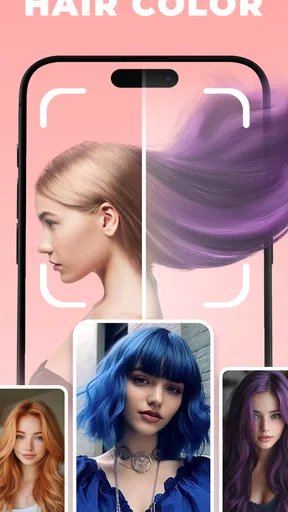
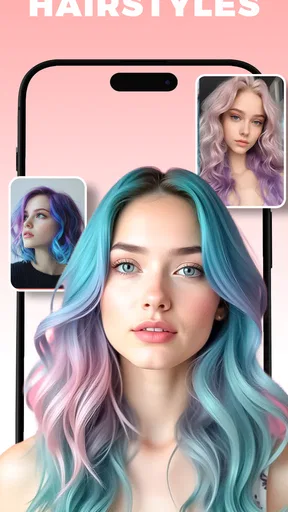
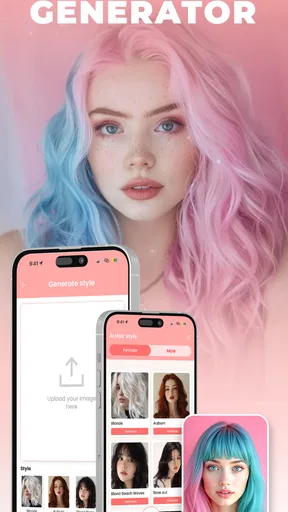
 Analysis by AppCompare
I judge a hair-color preview app by a simple test: does it help me picture a change before I sit in a salon chair, without making the result look more certain than it is? AI Hair Color Style Art Change is a playful, approachable option for trying out color ideas in photos. Its strongest appeal is the chance to compare a few directions quickly; its main limitation is that a digital preview is not a reliable promise of how dye will look on real hair.
A quick way to narrow down an idea
I find this kind of tool most useful before a decision, not as a replacement for a stylist. If I am torn between staying close to my natural shade and going noticeably lighter, seeing both approaches on a photo can help me explain what I mean. The preview is also useful for testing a bolder color that I would hesitate to request without first seeing a rough version of it.
A practical routine is to start with a clear, well-lit portrait, try one restrained color and one more dramatic choice, then compare them side by side. I would keep the original photo available while doing this. It makes it easier to judge whether the change itself appeals to me, rather than letting a particularly flattering image or lighting condition make the decision for me.
Useful for conversation, not a salon guarantee
There is a meaningful difference between a color preview and a consultation. A photo edit can give me vocabulary for a conversation—warmer, cooler, more subtle, or more vivid—but it cannot account for every factor a colorist considers in person. I would use a saved image as a starting point and ask a professional what is realistic for my current hair, rather than treating the screen result as an exact recipe.
That distinction matters most when the imagined change is a large one. A bright or very light look may require a different process from simply applying a new shade, and the app cannot make that process or its upkeep disappear. If I were planning a major transformation, I would use the image to communicate the mood I want, then rely on a stylist to discuss the steps and maintenance.
Who will get the most from it
This app makes the most sense for curious users who want to explore ideas privately before sharing them. Someone considering a change for an event, a new season, or simply a fresh look can use it to get past the vague question of “what if?” It may also help a person who already has several reference pictures but wants to see how a general color direction might sit with their own face and style.
It is less suitable for anyone who needs precise, technical color matching. If I wanted to judge the exact undertone, how a shade will interact with previously colored hair, or how the result will look under different lighting, I would choose an in-person consultation over an AI image. The app is for inspiration and comparison, not a substitute for professional advice or a promise of a particular outcome.
Worth Reading Before You Choose

EA SPORTS FC Mobile 26 Is a Bigger Football Game, but It Takes Time

Flipboard Shows What News Apps Must Do Beyond the Feed

Switching to Android Auto Means Rethinking Your Driving Routine

Google Calendar Makes a Crowded Week Easier to Manage

Ludo King Makes the Most of the Minutes Between Plans

Baby Panda World Brings Quick Play to Modern Phones, but Its Game Library Feels Busy
The app is a free beauty app from Tele Labs, with in-app purchases listed from $1.99 to $17.99 per item. It is rated for Everyone, and its average rating is 3.5 from around 1,600 ratings, so I would approach it as a useful experiment rather than assuming every user will get a perfect result. That context fits my view: its value depends on treating the edit as a visual aid, not as a definitive answer.
First Impressions and Getting Started
Downloading the app was a breeze, available on both Android and iOS, so no one misses out. Once inside, the interface is pretty straightforward, which is great because nobody likes to fumble around trying to figure out what does what. A neat feature here is the initial tutorial that guides you through the basic functionalities. It’s like having a mini hair stylist in your pocket, ready to offer a makeover anytime, anywhere.
In everyday use, I would make the first test with a photo where the hair is easy to see and not lost against a busy background. That is a small but useful choice: the clearer the starting image, the easier it is for me to judge the color rather than get distracted by shadows or surrounding detail. If the first preview feels off, I would try a different photo before deciding the app itself cannot produce a useful look.
The Magic of AI
What sets AI Hair Color Style Art Change apart is its use of artificial intelligence to seamlessly change your hair color in photos. I’ve tried a few similar apps before, but the color blending here is top-notch. The shades look realistic and adapt to different photos, making it hard to tell that it’s all virtual. Whether you’re aiming for subtle highlights or a full-on wild color splash, the app’s got you covered.
One thing I found particularly impressive is how the app manages to keep the texture of your hair intact while applying the new color. The AI ensures that your hair doesn’t look like a flat patch of color, which can often be the case with other apps.
That texture is important because it makes a preview easier to read: strands and light-dark variation help me imagine the general effect more naturally than a solid overlay would. Still, I would not use a single rendered image to settle a close call between two similar shades. A screen, photo exposure, and hair detail can all influence how a color appears, so I treat the image as a direction to explore, not a shade chart.
Exploring the Features
Once you’re past the basics, it’s time to dive into the features. The app offers a wide range of color palettes, from natural shades to more adventurous hues like neon pink and deep green. You can also adjust the intensity of the color, which is perfect if you want to keep things low-key or go bold.
For a more useful comparison, I would change one thing at a time. Trying the same color at different intensities helps separate the question of “Do I like this shade?” from “Do I like this much color?” If I also change the style at the same time, it becomes harder to know which choice is driving my reaction. A simple sequence—natural direction first, stronger intensity second—makes the results easier to discuss later.
There’s an option to try different styles too, like ombre or balayage, which is a nice touch for those who want to experiment with trending styles. You can save your favorite looks in the app, which is super handy for future reference or when you’re ready to show your hairstylist your next big change.
Saved looks are most useful when I keep the comparison organized. I would choose a small set that shows genuinely different possibilities rather than saving every minor variation. A few carefully selected references give a stylist a clearer sense of what I like, and they leave room for the professional to suggest adjustments that suit my actual hair.
User Experience and Customization
The app is designed to cater to all users, whether you’re tech-savvy or not. I appreciate how user-friendly it is, with everything from navigation to applying colors being intuitive. There’s no annoying lag, and the app processes images fairly quickly, which is a relief since nobody wants to wait around for ages to see their new look.
One realistic use is a quick decision before booking an appointment: I could try a few looks at home, save the two I like best, and take them along as references. That does not mean the stylist has to reproduce either image exactly. It simply gives me a more concrete way to say what I am drawn to, especially if I usually struggle to describe a color in words.
Customization is another strong suit of this app. You can fine-tune the colors to match your personal style, and with the variety of shades available, the possibilities are endless. Plus, you can share your new hair color photos directly on social media platforms, which is a fun way to get feedback from friends or just show off your new look.
When asking friends for feedback, I would keep the question specific. “Which version feels more like me?” is more useful than asking whether an edit looks good, because people may react to the photo as a whole rather than the hair color alone. I would also remember that social reactions are opinions, not a substitute for deciding what I personally want or checking what is achievable.
Where it fits among other options
Compared with manually drawing color over a photo in a general editing app, an AI hair-color tool is more convenient for a quick makeover because it is designed around changing hair rather than making a broad set of image edits. A salon consultation is the opposite kind of alternative: it is better for judging feasibility and planning a real service, but it is not as immediate or casual as trying ideas on a phone. I see this app sitting between those choices—faster than arranging a consultation, more focused than a general photo editor, but much less authoritative than a professional assessment.
The trade-off is worth keeping in mind if I am choosing between several close shades. A photo tool can make experimentation feel easy, but its polished result may encourage me to expect more precision than it can offer. For playful exploration, that is part of the appeal; for a high-stakes color change, I would move from the app to an actual conversation with a colorist before committing.
Final Thoughts
Overall, AI Hair Color Style Art Change is a fantastic tool for anyone looking to experiment with hair colors without the commitment. It’s intuitive, fun, and loaded with features that make it a standout choice for a virtual hair makeover. Whether you’re planning a real-life color change or just having fun with different styles, this app is worth a try.
Its best quality is that it turns an uncertain idea into something I can react to. Its limit is equally clear: a convincing preview remains a preview. I would recommend it to someone who wants to explore shades, collect reference images, or enjoy a low-pressure style experiment. I would skip it as a decision-maker if I needed an exact prediction or expert guidance about a complicated color process.
If you’re ready to see yourself in a new light, I’d definitely recommend giving this app a download. It’s a great way to explore new looks and maybe even find a shade you never knew you’d love!
Pros
- Easy to use interface for quick edits.
- Wide variety of color options available.
- Realistic hair color transformations.
- No internet required for basic features.
- Supports high-resolution image exports.
Cons
- Limited free features; in-app purchases needed.
- Some colors may appear unnatural in low light.
- Occasional app crashes on older devices.
- Ads can be intrusive during editing sessions.
- Requires access to personal photo gallery.
FAQs for AI Hair Color Style Art Change
What is AI Hair Color Style Art Change and how does it work?
AI Hair Color Style Art Change is an innovative app designed to transform your hair color using advanced AI technology. By analyzing your uploaded photo, the app applies realistic hair color changes, allowing you to preview different styles and shades. It's perfect for trying out new looks before committing to a real-life dye job.
Is AI Hair Color Style Art Change free to use?
The app offers a free version with basic features and a selection of hair colors to try. However, for access to premium features and a wider range of colors, there may be in-app purchases or a subscription fee. Check the app store listing for detailed pricing information.
Can I trust the AI results for realistic hair color changes?
Yes, the app uses cutting-edge AI technology to ensure realistic and high-quality results. While it provides an accurate preview of how different colors might look, real-life lighting and hair texture could slightly affect the final outcome. It's a great tool for experimenting with styles before making a permanent change.
Is AI Hair Color Style Art Change suitable for all hair types and colors?
The app is designed to work with a wide range of hair types and colors, providing versatile options for everyone. Whether you have straight, curly, blonde, or dark hair, the AI adjusts to give you the best possible preview. Some complex hair types may require manual adjustments for optimal results.
How do I save and share my new hair color styles?
After creating your desired hair color style, you can easily save the image to your device or share it directly to social media platforms like Instagram and Facebook. The app provides options for sharing via email or messaging apps, making it simple to showcase your new look to friends and family.


